
Published October 31, 2026
Reporting was often one of the hardest parts of the projects I managed.
Foundation grants. Government grants. Individual giving. Different sources of funding, but I kept running into the same problem: the information I needed was in different places.
And my response, for a long time, was to recommend another tool.
If something was difficult to manage, I thought a tool could help. I kept recommending them. Eventually, managing the tools became a job of its own.
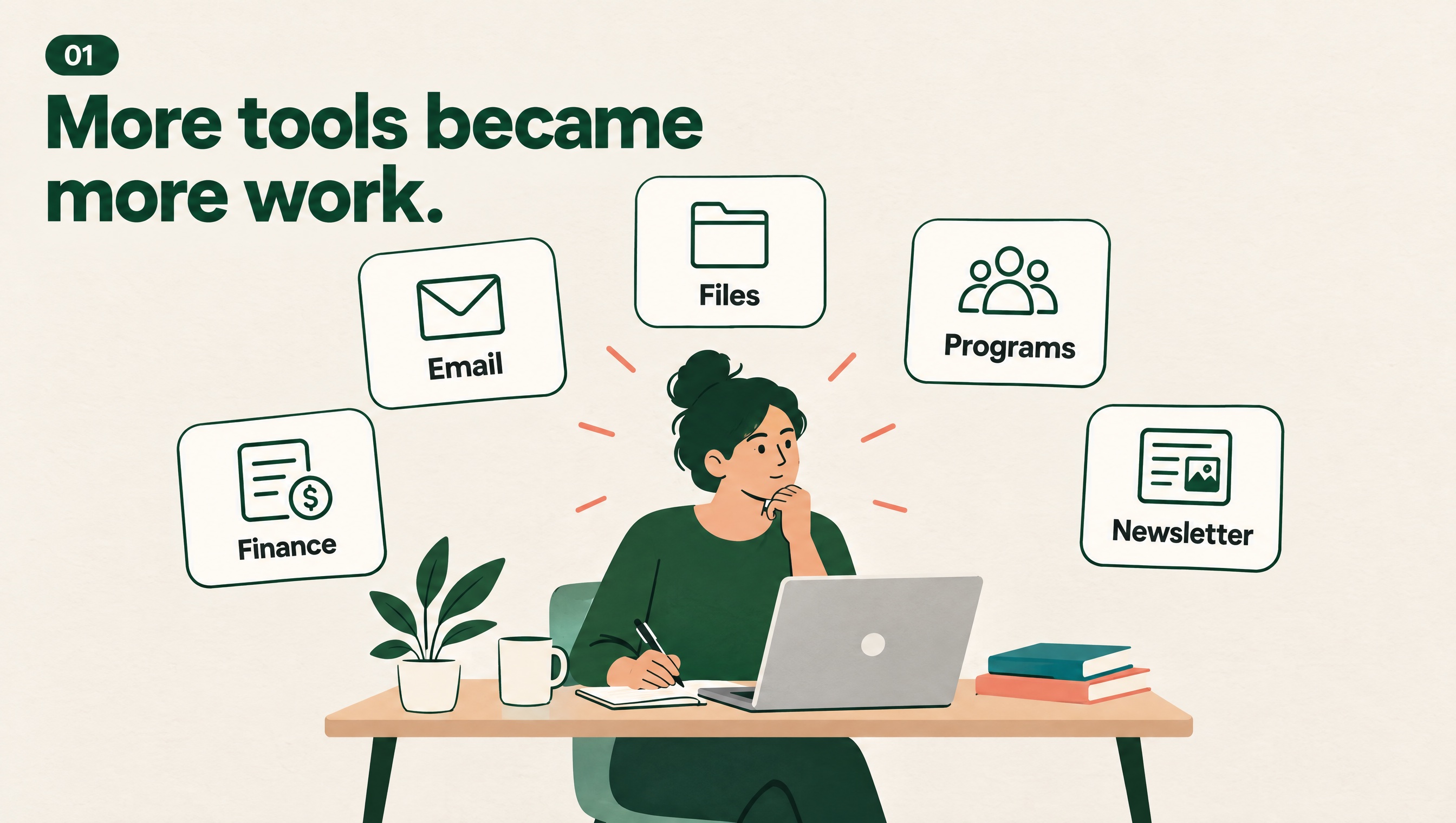
Before we could explain the work, we had to put the records back together.
Find the file. Check the figure. Ask for the missing update.
That took time I also needed for fundraising, listening to the community and making decisions about programs. It made conversations with funders harder too. Knowing the work happened and having a clear record of it are two different things.
We had tools. Following the information was still hard.
You can have Sage for accounting, Salesforce for program records, Mailchimp for newsletters and Google Workspace or Microsoft 365 for email and files.
Each may do a useful job. But the team still has to get information from one part of the work to another.
Some of it is in an email. Some is in a shared drive. An update is in Salesforce. Another figure is with accounting.
You ask a colleague to help. But they are busy too. They are chasing their own updates, dealing with urgent problems and trying to finish another report.
That was the cycle I kept seeing. Reporting generated more chasing, and the chasing left less time to keep records current. The whole organization could get caught in it.
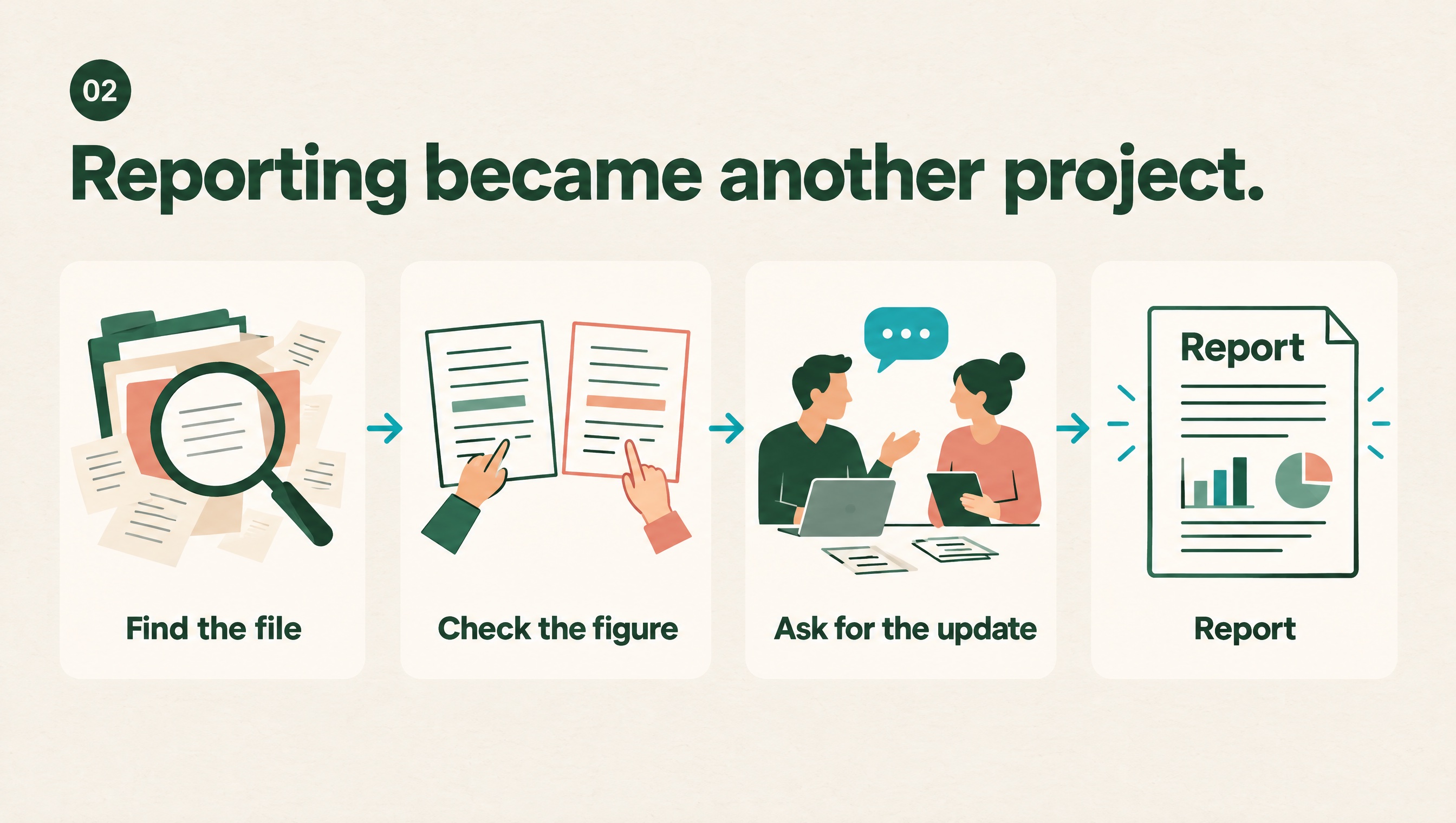
I had to rethink what I was recommending. Adding a tool did not settle who would update the information, which record the team should trust or how it would reach the report.
Those were decisions we needed to make about the work.
Start with the answer you need
That experience changed my starting point. I now look at one program and one report before thinking about software.
Choose a question from the reporting template. What does it mean? Where does the answer begin? Who records it, and what happens next?
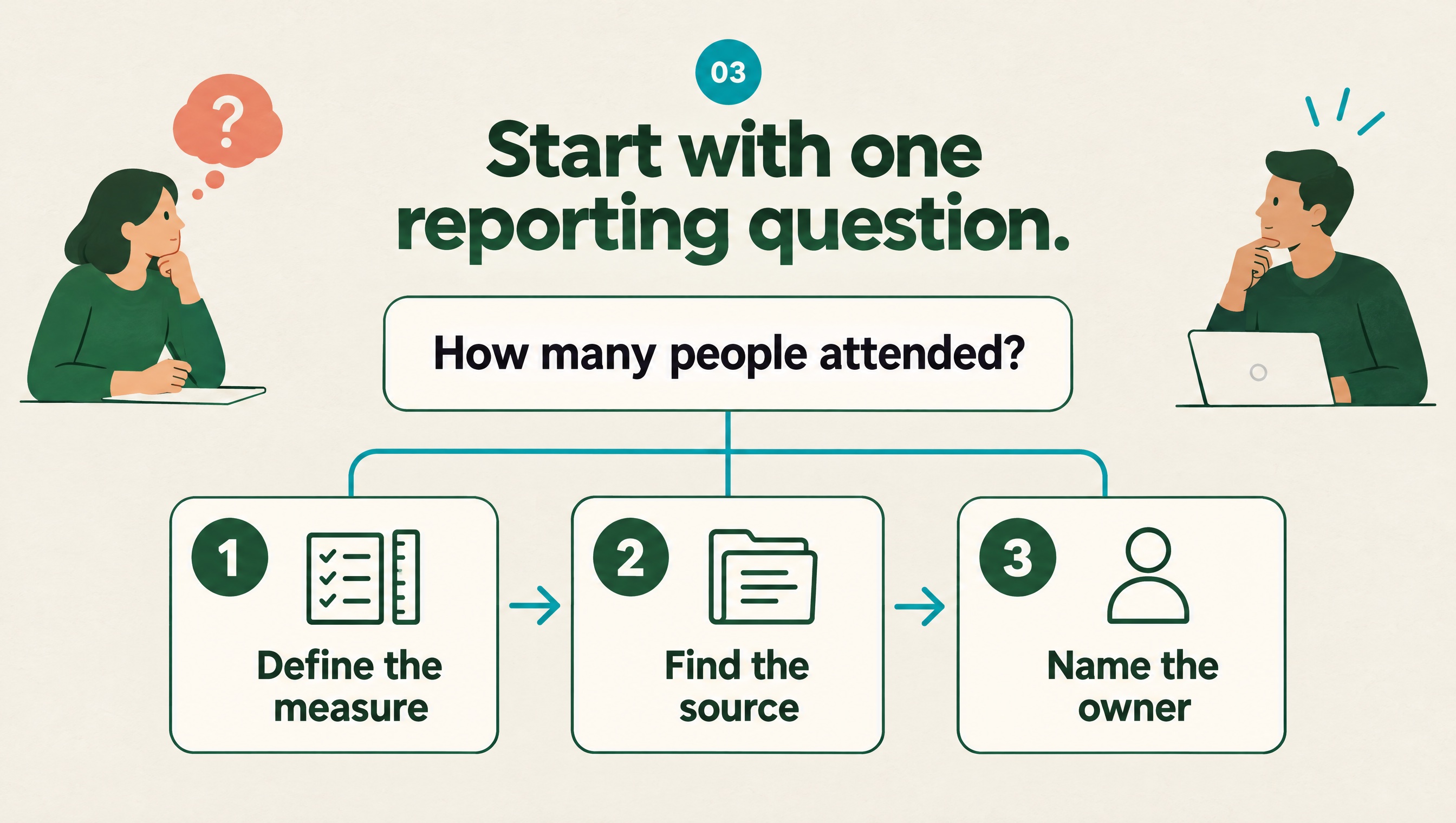
Use the definitions and reporting period in the relevant agreement. If funders count things differently, write down the difference. Our government funding agreement guide covers the records and reporting calendar behind this work.
Here is a fictional example.
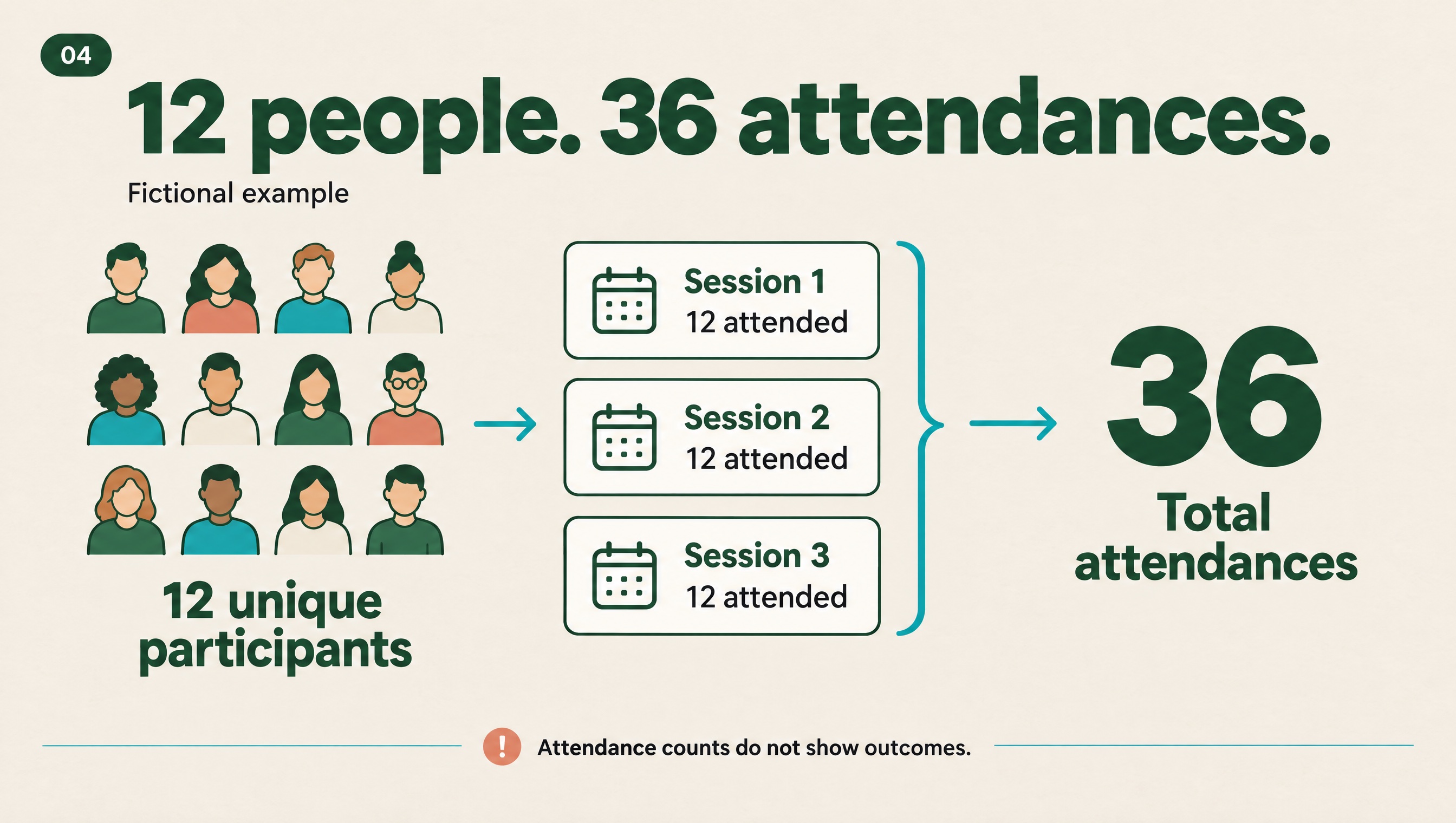
Twelve people each attend three community workshops during a month. You have 12 unique participants and 36 attendances.
Those numbers answer different questions. Neither tells you, on its own, what changed for the people who attended.
A small reporting map helps:
- Unique participants: People attending during the month, counted once. Source: attendance linked to participant IDs. The coordinator checks duplicates.
- Attendances: Total session attendances during the month. Source: session records. The coordinator checks missing entries.
- Participant feedback: Answers to an agreed question after the series. Source: feedback responses. The program lead records how many answered.
If participants report feeling more confident, describe that as their experience. State how many answered and how many did not. Keep missing information visible.
Give information a path and someone to look after it
Follow the records behind the answer.
Can staff connect an attendance entry to the right participant? Could one person appear twice? Who enters attendance, and when?
Look at intake questions too. Who uses each answer? Review questions nobody uses, and decide where missing details should be collected.
Then agree on the responsibilities. In our fictional workshop, the session lead enters attendance after each session. The coordinator checks gaps before the monthly summary. Both roles have a backup.
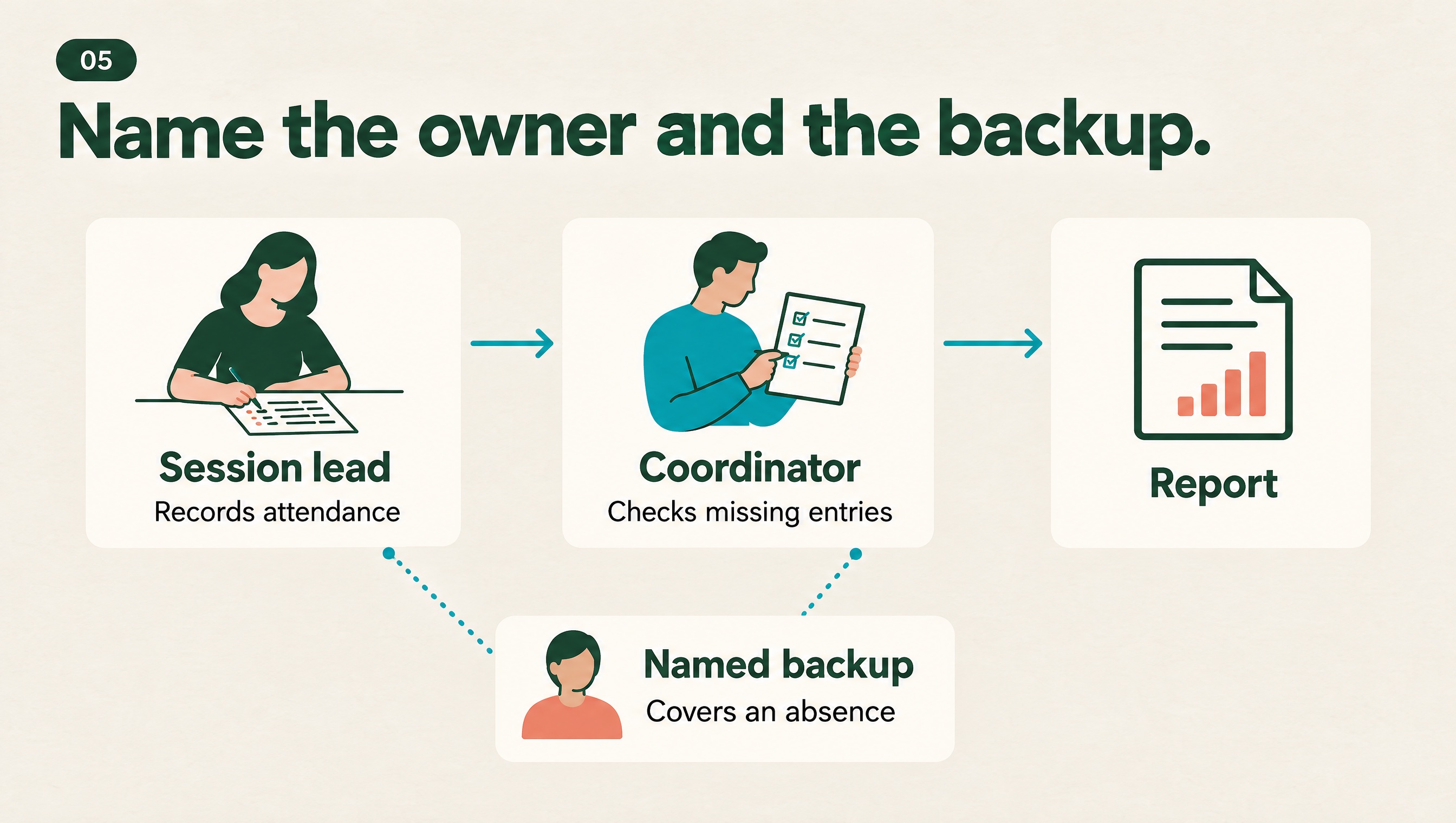
A blank field needs checking. It should not quietly become “did not attend.”
Keep personal details limited to those who need them, under approved access rules. A participant ID helps connect records; it does not make them anonymous.
If the handoffs are difficult to explain, use the workflow mapping guide to lay them out.
Test the process before adding another tool
Agree which record is the main one, what needs to move between tools and who checks it.
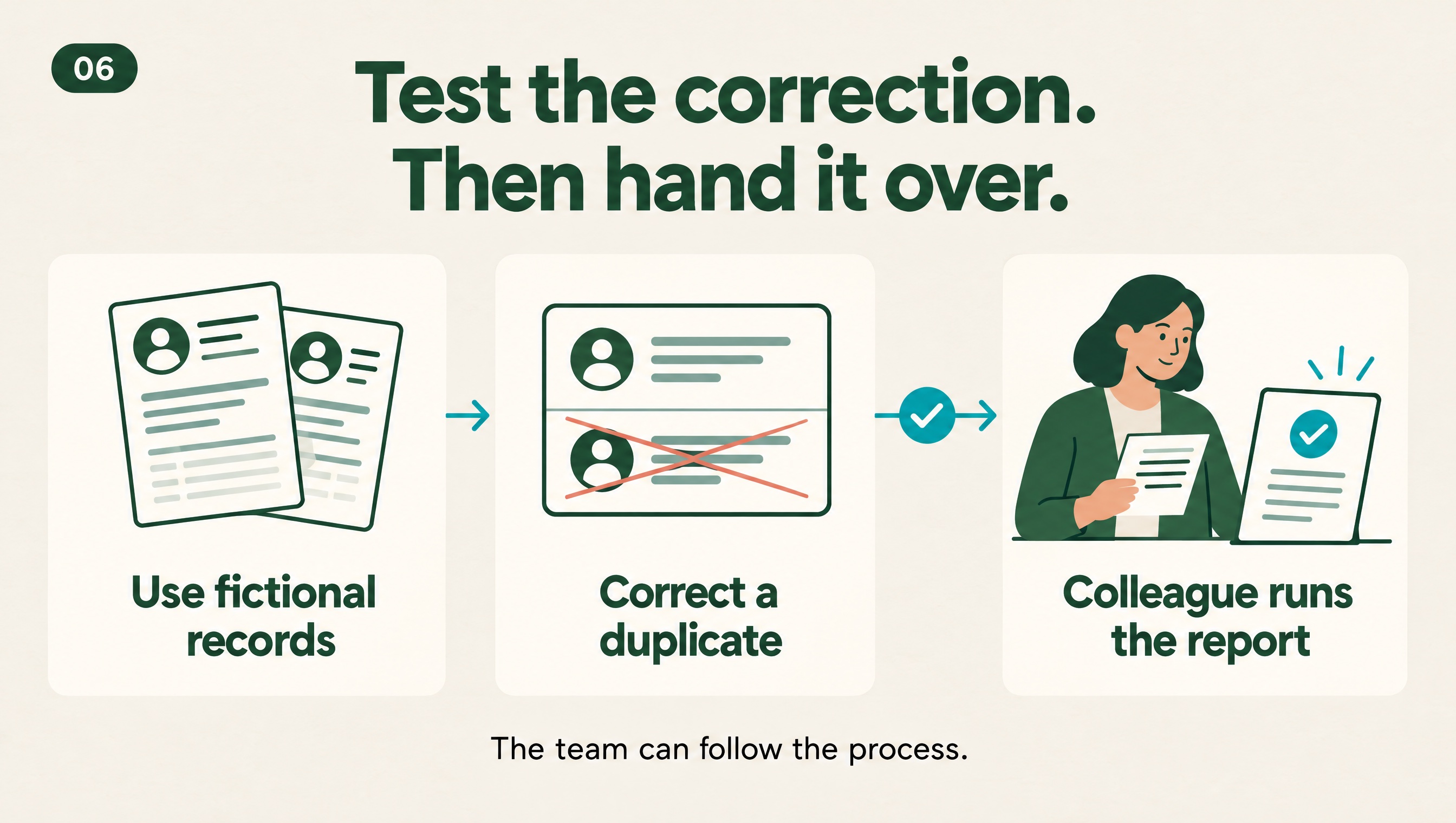
Use fictional records to test the whole path. Then introduce an ordinary mistake: enter one attendance twice and correct it. Does the report update? Are the other valid entries still there?
Ask a colleague to follow the written guidance. Can they enter an update, fix an error and produce the report?
Keep the routine realistic. If staff keep skipping a step, ask what makes it difficult. Leave an owner, a backup and a clear route for support.
What I want to make more room for
This is what sits behind the tools and workflows I build through Nimara now.
If your team is dealing with this, see what our Program Delivery & Reporting work can include.
I want teams to spend less time managing disconnected information, with more attention available for community relationships, fundraising and better programs.
Clearer records cannot promise your next grant. They can help you explain the work without rebuilding the story every time.
If you are comparing software, read my Canadian nonprofit CRM comparison guide before choosing another tool.
Read next. What happens when your nonprofit still depends on you? I share what closing Uganda for Her taught me about handing work over to the team.
Written from Ben’s experience, with AI assistance in editing and illustration. Workshop figures and role examples are fictional.